
Engineering drafts,
on your template.
Give Engineering AI an RFP, a specification or a set of requirements. It drafts the review report on your own Word template, with citations to the passages it used, then splits the work by discipline for you to approve. It also lists the factual claims in a technical document for review, and reads filled-in values off your forms.
- Your templates, your reference documents
- Nothing fans out until you approve it
- Single-tenant, hosted by Nuclearn
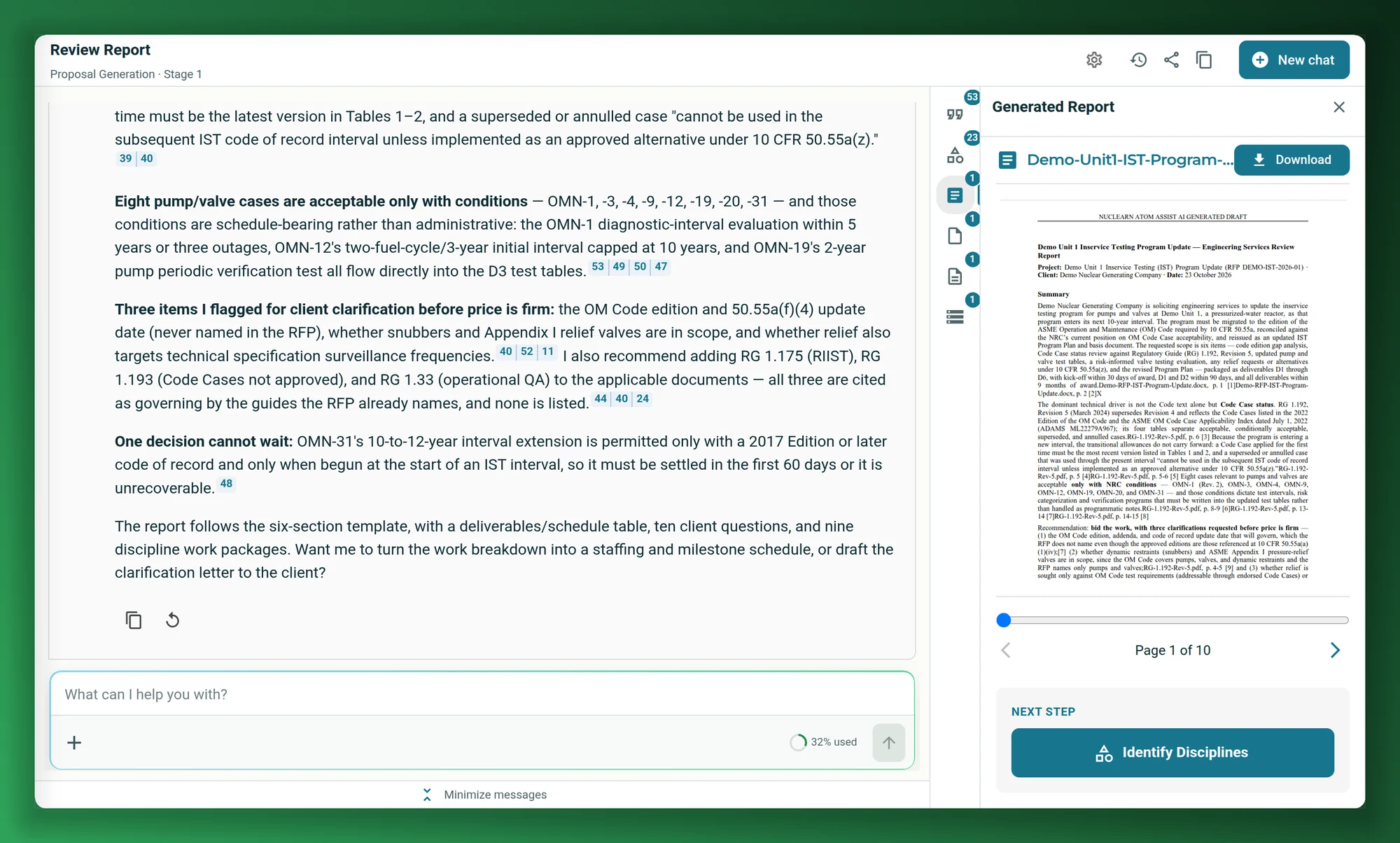
Screenshots on this page show a fictional demo plant and publicly available NRC regulatory guides, as they appear in the Nuclearn platform today.
- Backed by NuclearnAI software built for nuclear plants since 2021
- Over 70 facilitiesNuclearn products serve sites in North America and the U.K.
- ISO/IEC 27001:2022Certified information security management
The assembly work in engineering, done first.
Before the engineering judgment comes the assembly: pulling requirements out of a request, finding the governing revision of each guide, laying the report out the way reviewers expect, and checking what a document claims. Engineering AI does that part, from your documents.
Answer an RFP or a scope of work
Upload the request, choose your report template and the documents to search. Engineering AI drafts the review report: scope, applicable codes, deliverables, open questions and a work breakdown.
See review reports → EngineeringSplit the work by discipline
From the review report, Engineering AI identifies the disciplines the job needs. You add or remove disciplines and approve the list, then it drafts one report per discipline.
See disciplines → Licensing and QACheck the claims in a document
Upload a technical document and choose the reference datasets. Engineering AI lists the factual claims it finds, so a reviewer can work through them against the references.
See claims → Engineering and recordsRead values off forms
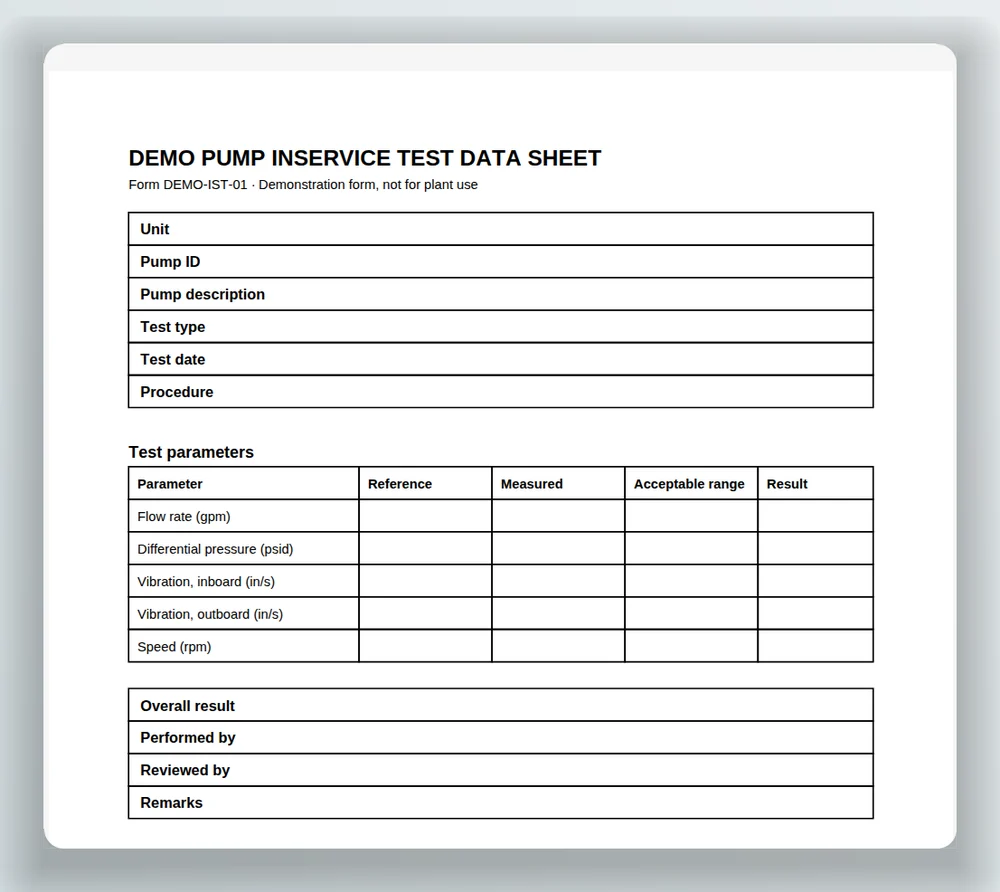
Upload a blank form once to build its template. Then upload filled-in copies and get the values out as structured data, downloadable as JSON or CSV.
See forms → EveryoneDraft in your own format
Reports follow the Word template you upload, section by section, so drafts come out in the layout your reviewers already expect.
See review reports → IT and securityInside the Nuclearn platform
The same sign-in, documents and permissions as the rest of the platform. Report runs and claim reviews are checked against each person's access.
See security →Most of a first draft is assembly.
A review report or a licensing section starts the same way: read the request, collect the requirements, find the current revision of each guide and code, and reuse approved wording from earlier documents. Engineers do that by hand before they get to the part only they can do.
Engineering AI drafts the assembly from your documents, and leaves the judgment to the engineer.
A Nuclearn customer, an SMR vendor, drafts Preliminary Safety Analysis Report sections with a drafting workflow on the Nuclearn platform. The workflow compiles the regulatory requirements, keeps the content of prior submittals and checks against industry precedent.
One customer's reported outcome on one kind of document; time saved depends on the document and the team. Source at the foot of the page.
From a request to reports you can review
Three steps, with you approving the disciplines before anything fans out.
Add the request and your references
Upload the RFP, specification or requirements, choose a report template, and pick the datasets to search for supporting material.
Review the draft
Engineering AI reads the documents, searches the references and writes the review report as a Word document, with citations to the passages it used. Ask follow-up questions in the same chat.
Approve the disciplines
It identifies the disciplines the job needs from the review report. Add or remove disciplines, approve the list, and it drafts one report per discipline.
A review report on your template, with its sources.
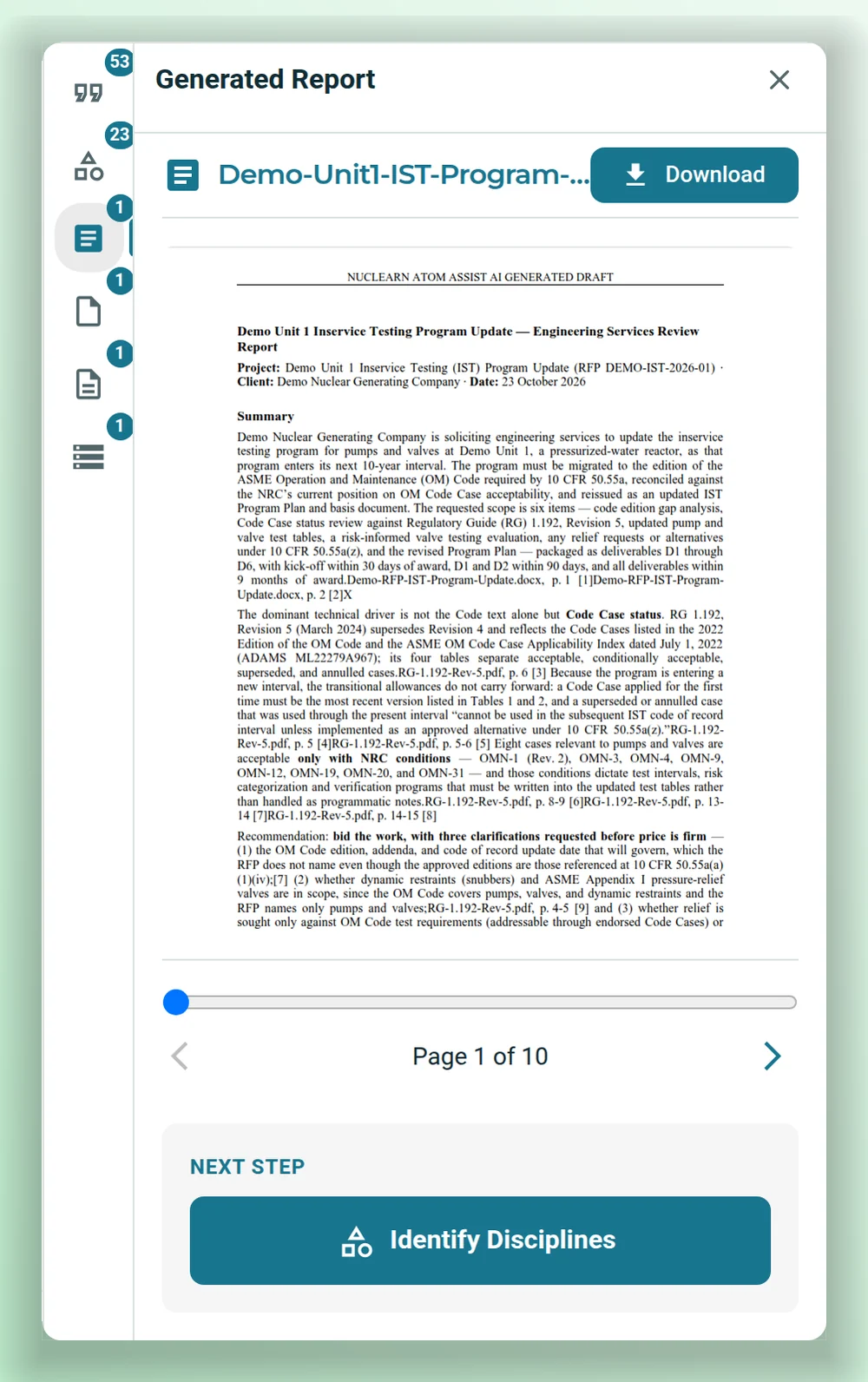
Engineering AI writes the review report from the request and the reference datasets you chose, in the sections of your Word template. The chat shows what it read and cites the passages behind each point; the report opens beside it, ready to download.
- Follows the sections and guidance in the template you upload.
- Cites the passages it used from the request and the references.
- Saved as a Word document next to the input documents, or added to a project.
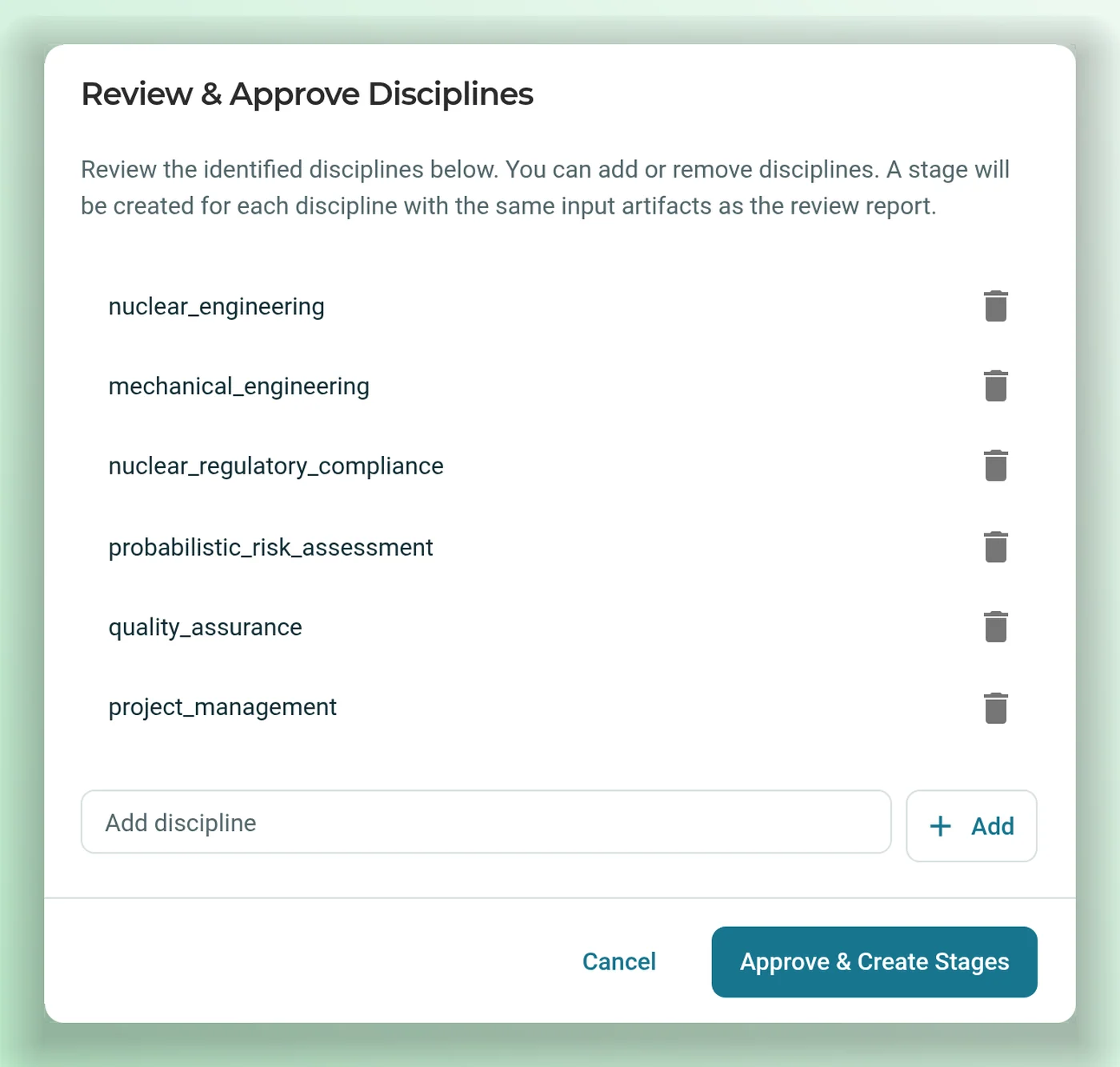
You approve the disciplines. Then it drafts each one.
From the review report, Engineering AI identifies the disciplines the job needs, such as mechanical engineering, risk assessment or quality assurance. The list is shown for you to edit, and nothing more is generated until you approve it. Then it creates a stage for each discipline, with the same input documents as the review report, and drafts that discipline's report.
- The one step that always waits for a person.
- Add or remove disciplines before you approve.
- Each discipline report starts from the review report and the same inputs.
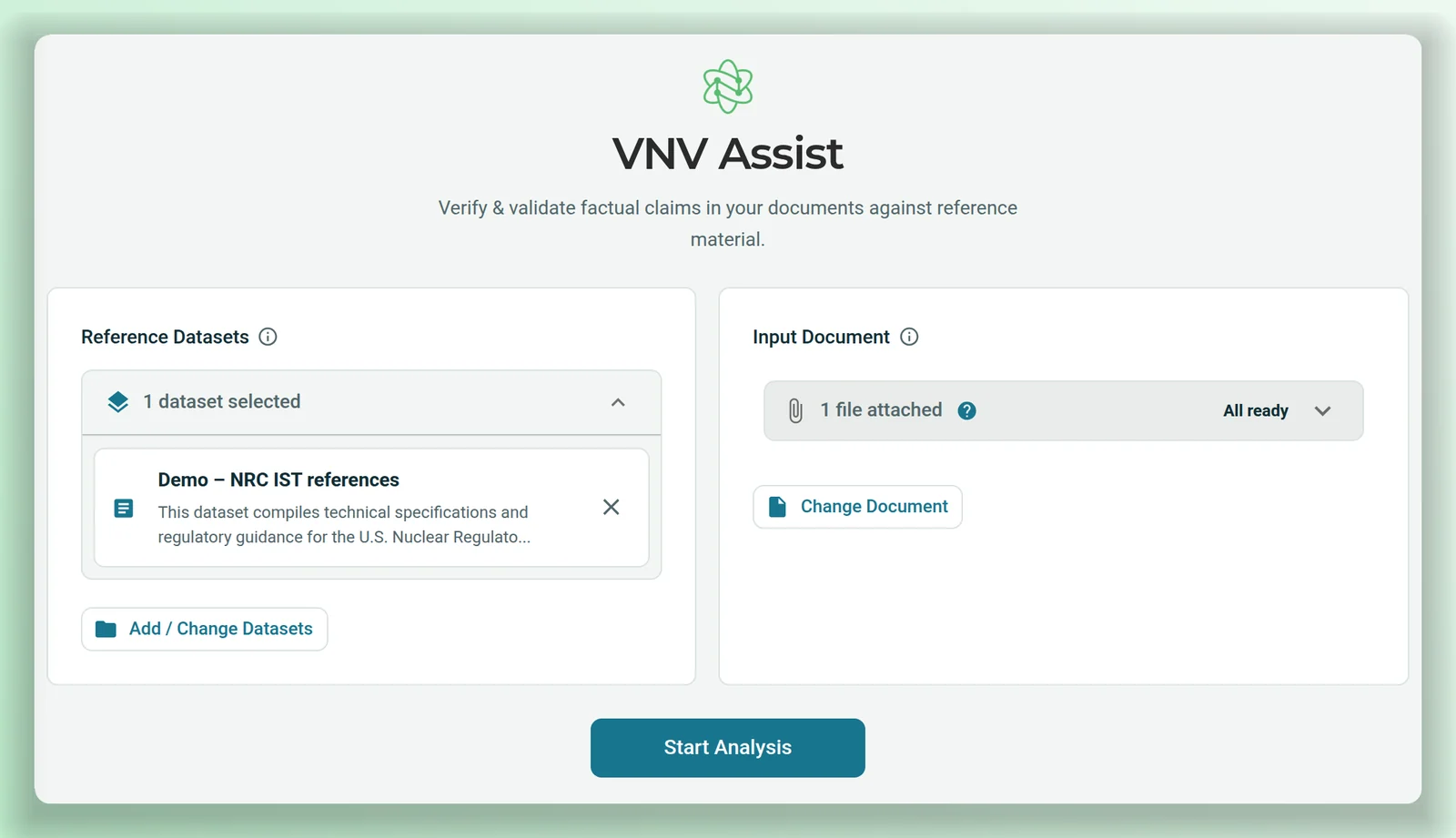
Find the claims a reviewer needs to check.
Upload a technical document and choose the reference datasets. Engineering AI reads it and lists the factual claims it makes: dates, revisions, numbers, requirements, and statements about other documents. Then ask about any claim in the same screen, with search limited to the references you chose.
- Each claim listed with the page it's on.
- Remove claims that don't need checking.
- Questions answered from your chosen references only.
Forms in, structured data out.
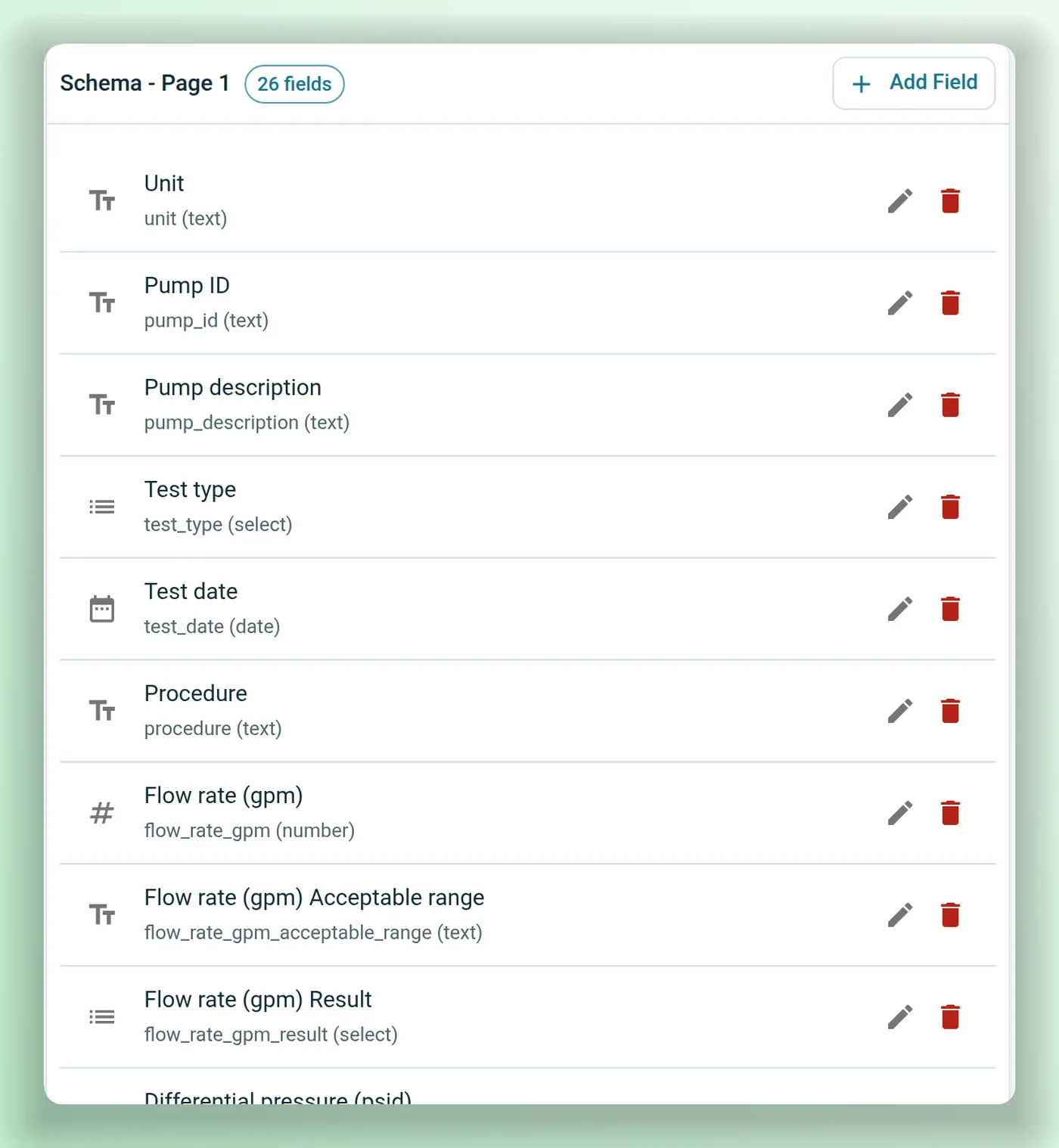
Upload a clean copy of a blank form and Engineering AI drafts its field schema: each field's name, type and page. Check it, then verify the template. After that, upload filled-in forms: each is matched to its template and its values come out as data you can filter, search and download.
- Field schema drafted from the blank form, editable before you verify it.
- Filled-in forms matched to the right template.
- Values exported as JSON or CSV, per form or per template.
Built around how engineering work is checked
Drafts marked as drafts
Generated reports carry an AI-generated draft header, so nobody mistakes a draft for an issued document.
Runs kept together
Each run keeps its review report, approved disciplines and discipline reports in one place.
An agent for each step
Choose which agent writes the review, identifies the disciplines and drafts each discipline's report.
Your reference sets
Point each run at the document collections it should search: guides, codes, past reports.
Form revisions tracked
Link revisions of a form and compare what changed between them.
Scans and photos of forms
Forms can come in as PDF, PNG, JPG or TIFF, so a scanned or photographed sheet works as well as a digital one.
In Nuclearn's datacenter.
Scoped to each person.
Engineering AI runs on the Nuclearn platform, in Nuclearn's own datacenter on Nuclearn's hardware, with the same sign-in, documents and permissions.
Single-tenant, hosted by Nuclearn
Each plant gets its own instance, hosted by Nuclearn in our own datacenter on our own hardware. Azure Government or your own servers on request.
Platform sign-in
The same single sign-on and roles as the rest of the Nuclearn platform.
Access checked
Report runs and claim reviews are checked against the person's access, and a run can only use reference datasets that person may read.
Licensed by module
Report drafting and claim review are licensed separately, so you turn on what your teams use.
Built for 10 CFR Part 810
How Engineering AI is hosted, operated and supported is set up for 10 CFR Part 810 export controls.
A certified company
Nuclearn is ISO/IEC 27001:2022 certified.
What it is not
Engineering AI drafts and lists; it doesn't approve. Reports are drafts for an engineer to review and sign, and claims are listed for a reviewer to check against the references.
Questions engineering teams ask first
What can a run start from?
Input documents can be PDF, Word or text files: an RFP, a specification, a set of requirements. Templates are Word documents. Forms can be PDF, PNG, JPG or TIFF.
Do we have to use your report template?
No. Upload your own Word template and describe the report it should produce; the review report follows its sections.
Does it decide whether a claim is right?
No. It lists the claims it finds and answers questions about them from the references you chose. A reviewer decides.
Where do the reports go?
Each report is saved as a Word document in the same document collection as the run's input documents. Download it, or add it to a project.
Is Engineering AI part of AtomAssist?
Engineering AI is its own product on the Nuclearn platform. It shares the platform's sign-in, documents and permissions.
Where does it run?
Each plant runs in its own single-tenant instance, hosted by Nuclearn in our own datacenter on our own hardware, with hosting, operations and support set up for 10 CFR Part 810 export controls. Azure Government or your own servers on request. People sign in through the Nuclearn platform.
Who can see a run?
Report runs and claim reviews are checked against each person's access, and a run can only use reference datasets the person may read.
See a review report drafted from a request.
We'll run a sample RFP through Engineering AI with public NRC regulatory guides as references: the review report, the discipline list and the claims review, and answer your IT team's questions about deployment and access.
- A live walkthrough on public NRC documents
- Your report templates and where they'd fit
- Your questions on deployment, sign-in and access
Nuclearn Engineering AI is backed by Nuclearn, whose products serve over 70 facilities in North America and the U.K.
Book a demo
Tell us a little about your site and we'll set up a time.
Thanks, we've got it.
We'll be in touch to set up a time. If it's urgent, email contact@nuclearn.ai.
Prefer email? contact@nuclearn.ai